Export REACH-supported facilities
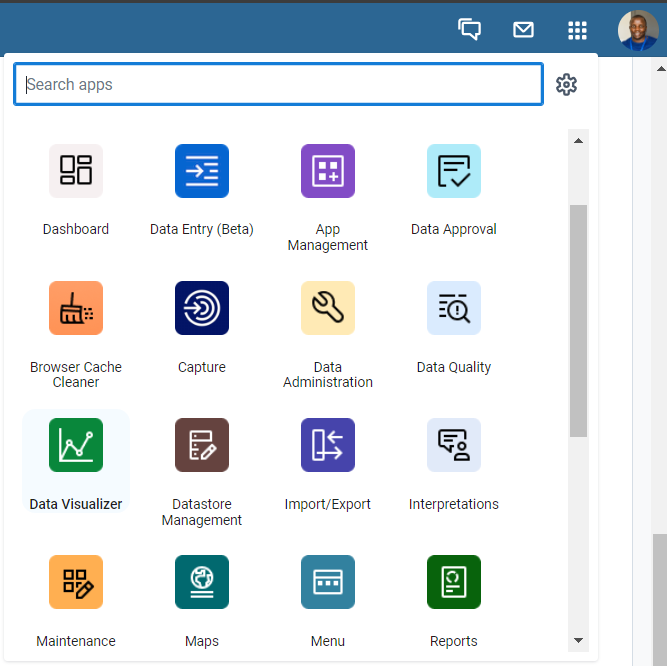
1. Log into your country's MoH system and open the Data Visualizer app.
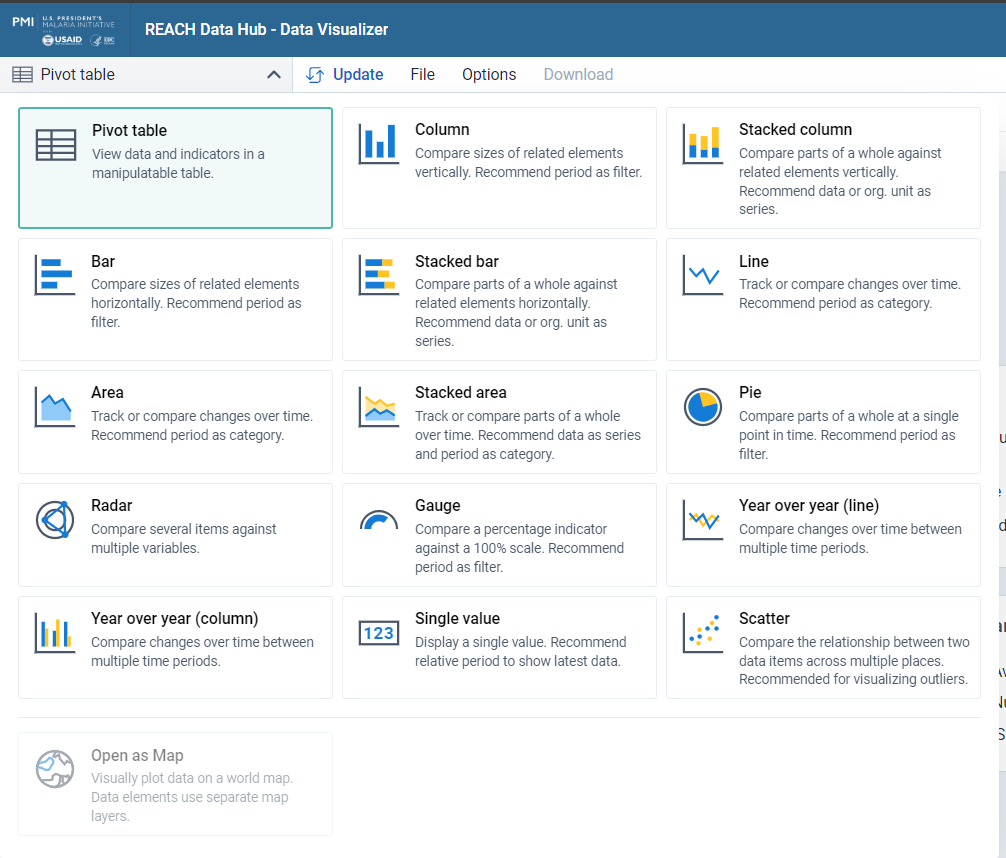
Select the Pivot Table
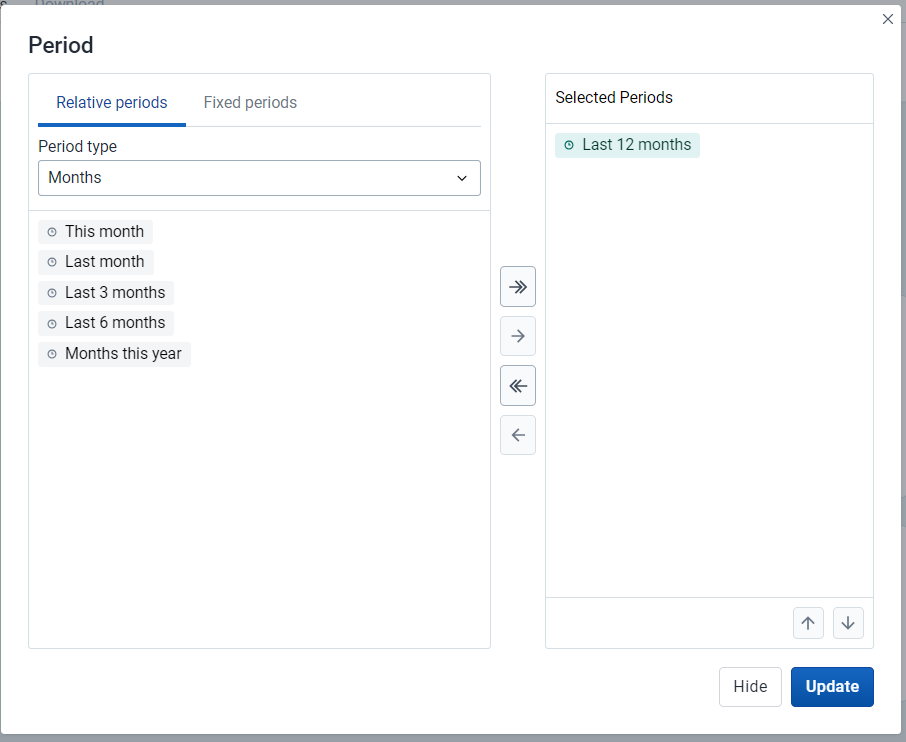
2. Under Periods, ensure that the Last 12 months is checked.
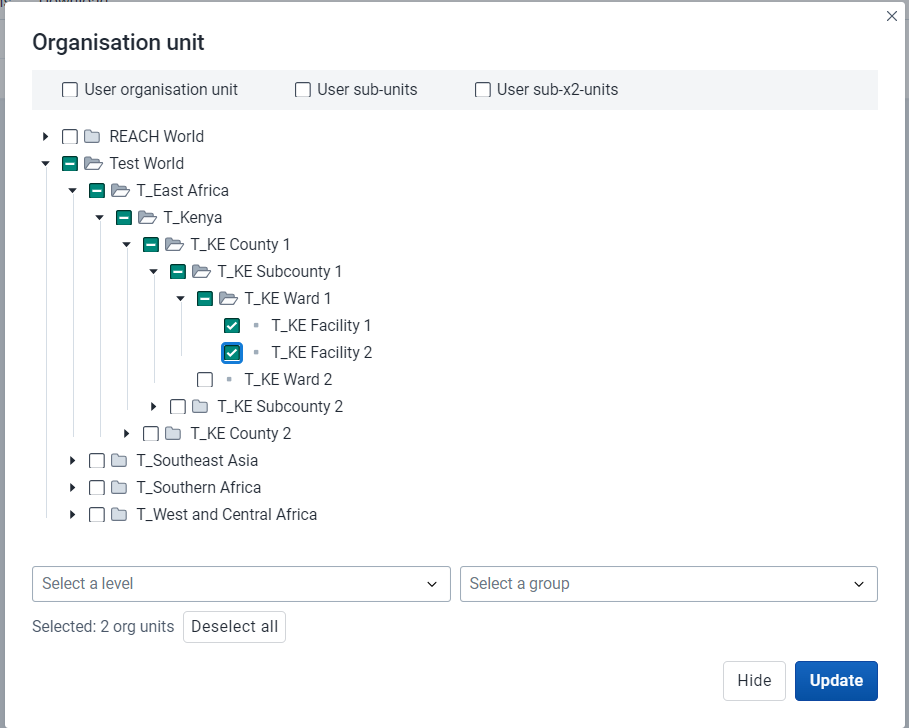
3. Under Organisation Units, select all the REACH supported health facilities
4. On the right, click on the Layout and select drag and drop the options to match:
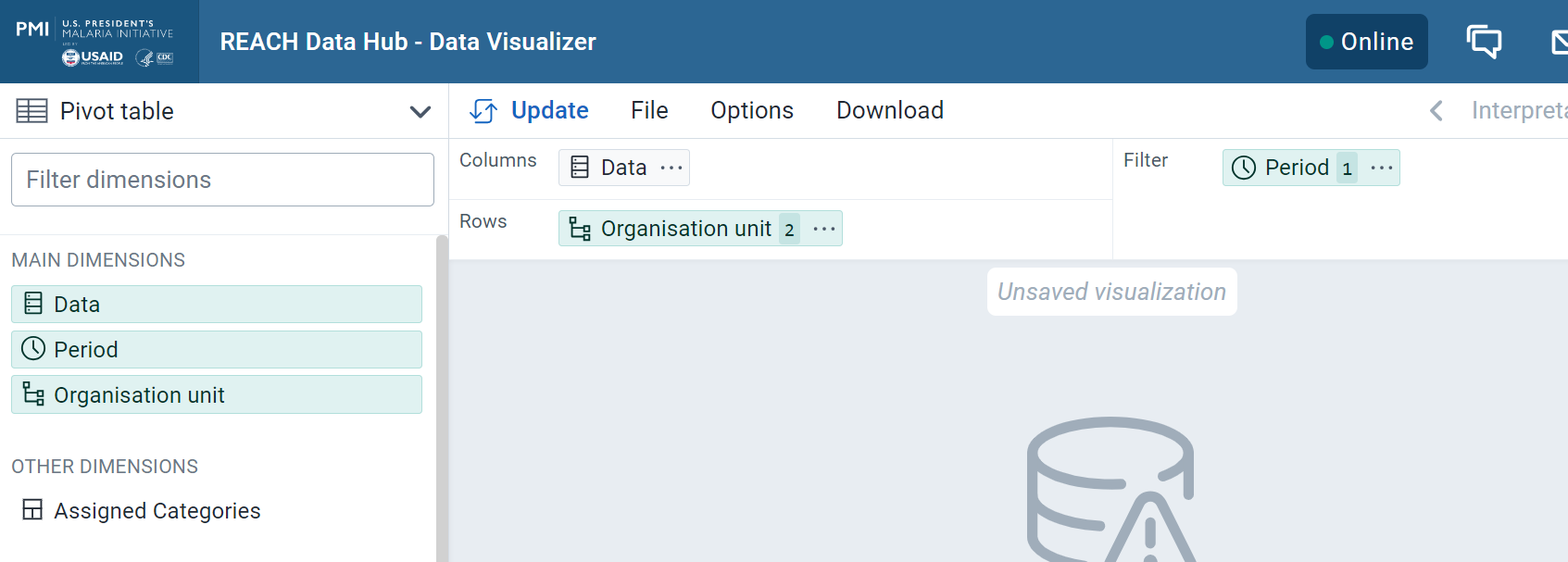
- Rows = Organisation units
- Columns = Data
- Report Filter = Periods
5. Click on Options:
- Untick Hide empty rows
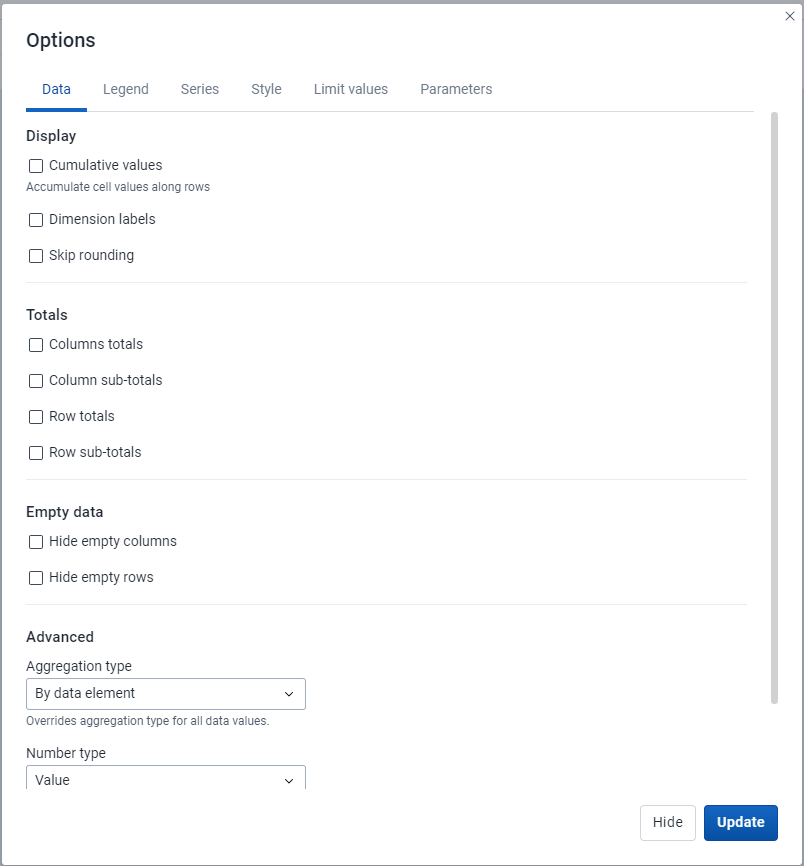
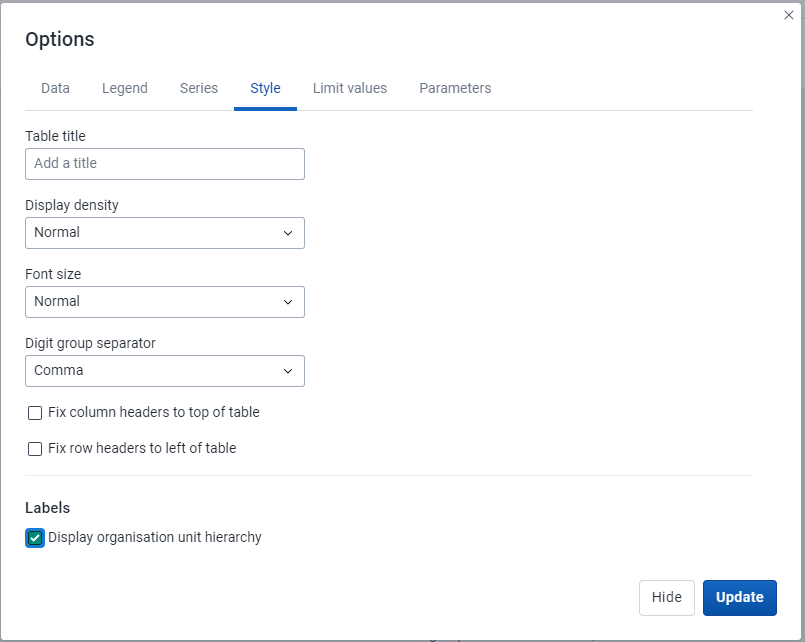
- Tick Show hierarchy
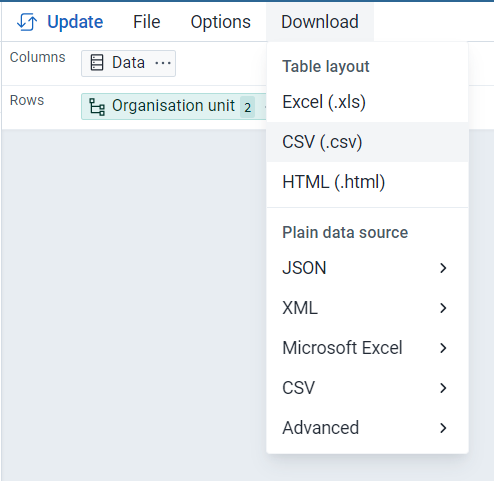
6. Click on Download and download as CSV. This should include the hierarchy information and unique ID of all IM-supported health facilities
Export IDs of Organisation Units
1. Log into your country's MoH system.
2. Enter the following into your web browser (after replacing the yellow text with the MoH server URL)
[MOH SERVER URL]/api/organisationUnits.csv?paging=false&fields=name,id,path
Example of a server URL: https://reachdatahub.org
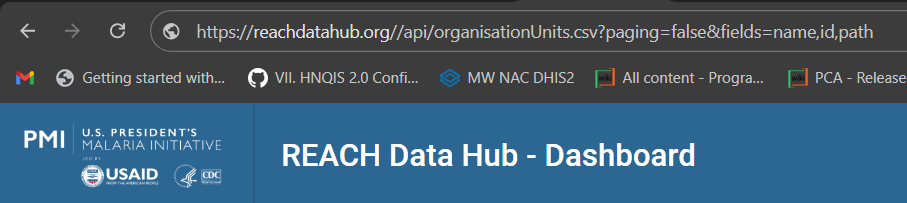
3. Press enter and wait for the file to download
Export coordinates of Health Facilities
1. Log into your country's MoH system.
2. Enter the following into your web browser (after replacing the yellow text with the MoH server URL and the green text with the level in which health facilities sit in your health system)
[MOH SERVER URL]/api/organisationUnits.csv?paging=false&fields=id,coordinates&level=5
Health facilities are at level 5 in most health systems:
Example 1: Country à Region à District à Subdistrict à Health facility
Example 2: Country à County à Subcounty à Ward à Health facility
If you encounter any issues when going through the process, please create a ticket by clicking the link below to get assistance:
Was this article helpful?
That’s Great!
Thank you for your feedback
Sorry! We couldn't be helpful
Thank you for your feedback
Feedback sent
We appreciate your effort and will try to fix the article