1. Click on New Support Ticket from the REACH Data Hub Helpdesk homepage
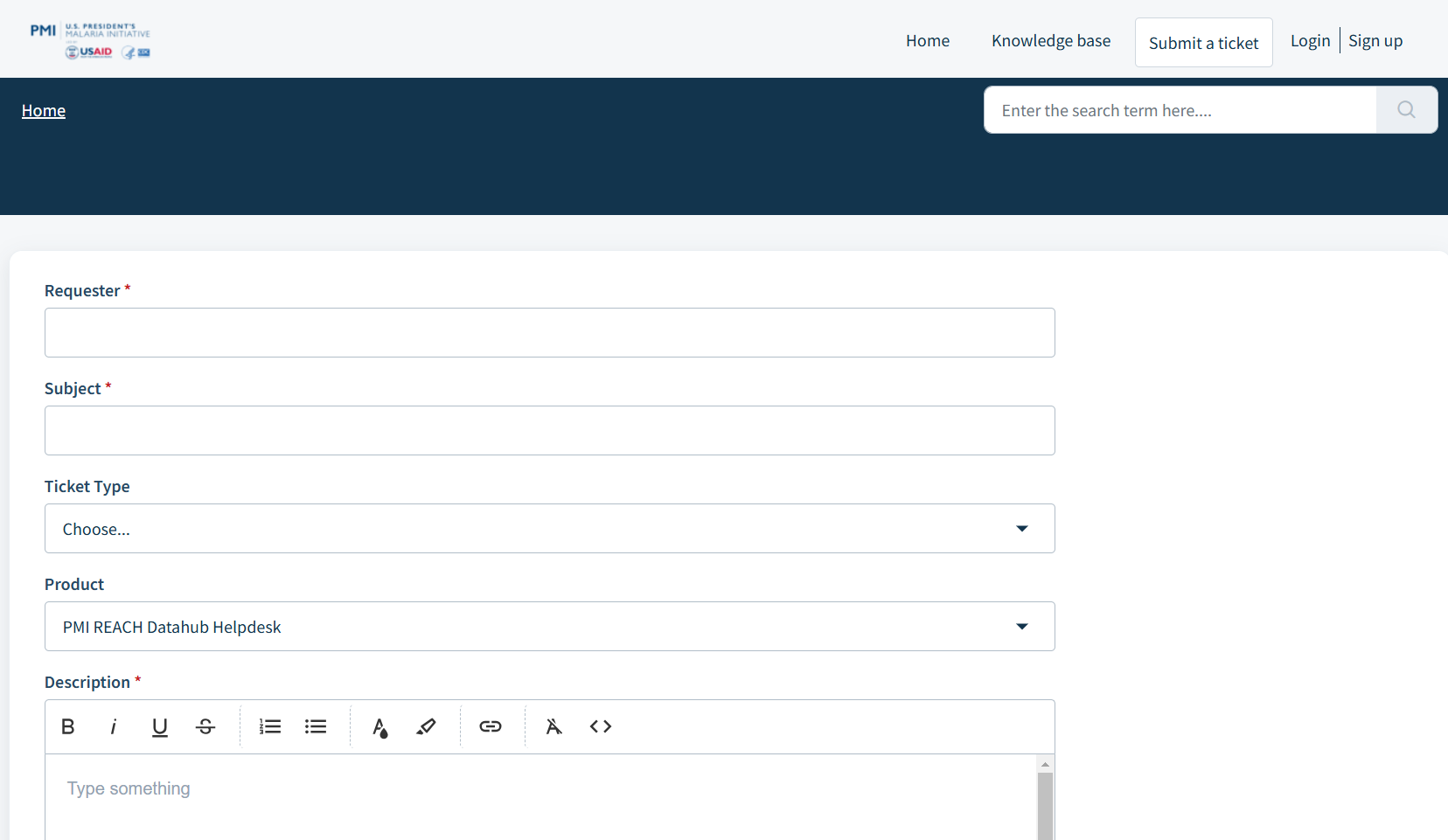
2. Fill in the ticket details as per the form
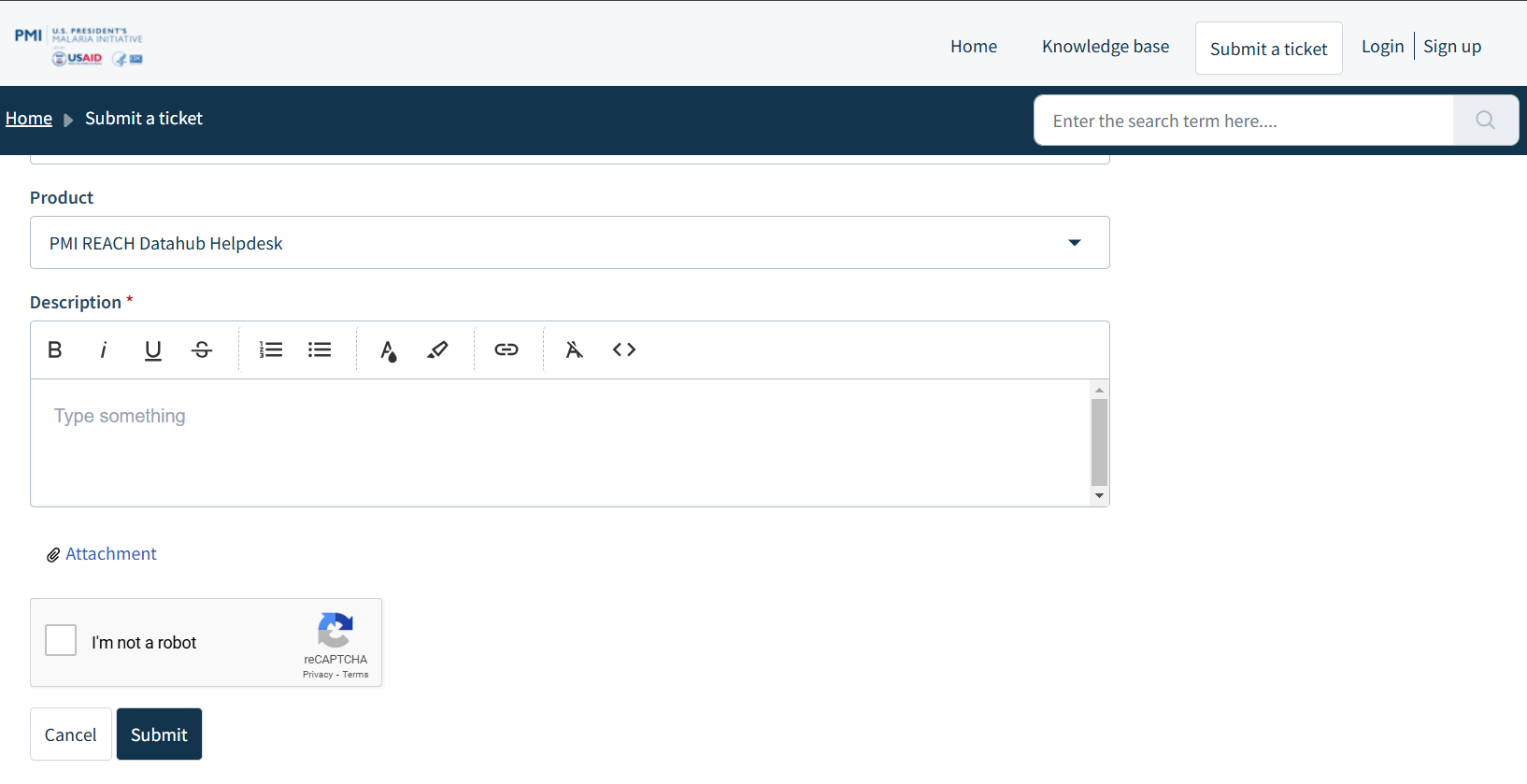
- Requester - your email address
- Subject - the subject of your ticket
- Ticket type - choose Configuration, Maintenance, Question, Bug, Other depending on the ticket type
- Description - Please describe your issue in detail
- Attach a file - Please use this to upload relevant files or screenshots to assist in resolving the issue
3. Click on Submit
Was this article helpful?
That’s Great!
Thank you for your feedback
Sorry! We couldn't be helpful
Thank you for your feedback
Feedback sent
We appreciate your effort and will try to fix the article